How to Fix Quantum Resonance Magnetic Analyzer Password and Report File Access Problems in Philippines
» Quantum Scanner Philippines » How to Fix Quantum Resonance Magnetic Analyzer Password and Report File Access Problems in Philippines
You’ve just finished a client scan with your quantum analyzer. You click to open the report file. Nothing happens. Or perhaps a password prompt appears, but you never received a password. This frustrating scenario affects hundreds of quantum resonance magnetic analyzer users across the Philippines every month.
This comprehensive troubleshooting guide from MAIKONG, Philippines’ trusted manufacturer with 22 years of experience, will help you resolve quantum resonance magnetic analyzer password issues and quantum resonance magnetic analyzer test report file open problems. Whether you operate a wellness clinic in Manila, a spa in Cebu, or a health supplement shop in Davao, these solutions will get your device working properly.
Get Immediate Technical Support for Your Quantum Resonance Magnetic Analyzer Password Issue
Before diving into troubleshooting steps, know that help is available right now. The MAIKONG technical team provides 24/7 support specifically for Philippine customers experiencing report file access problems.
Need Urgent Help with Password or File Access?
Our expert technical team has resolved thousands of password and file access issues for quantum analyzer users across the Philippines. Get personalized support within minutes.
Understanding Your MAIKONG Quantum Resonance Magnetic Analyzer System Components
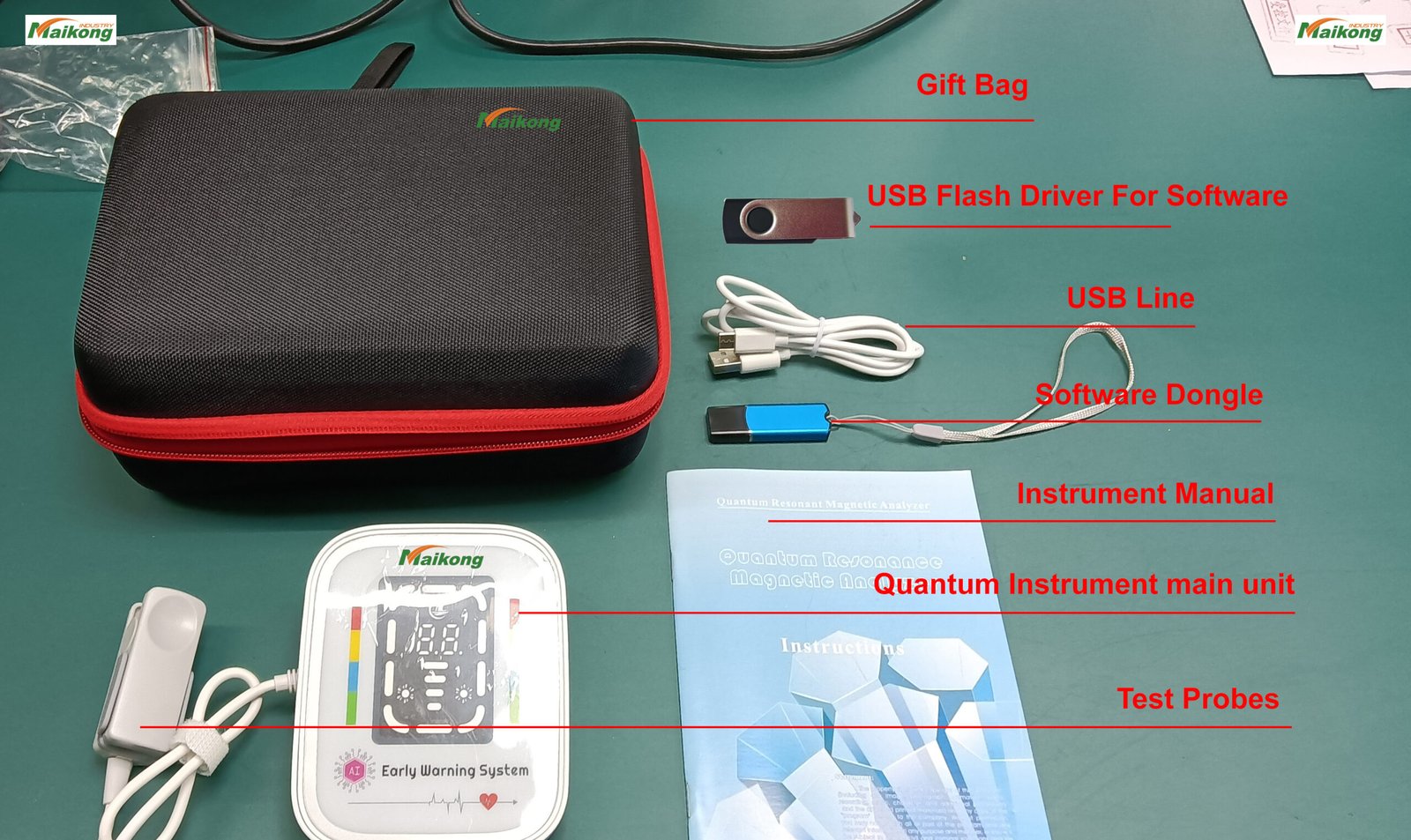
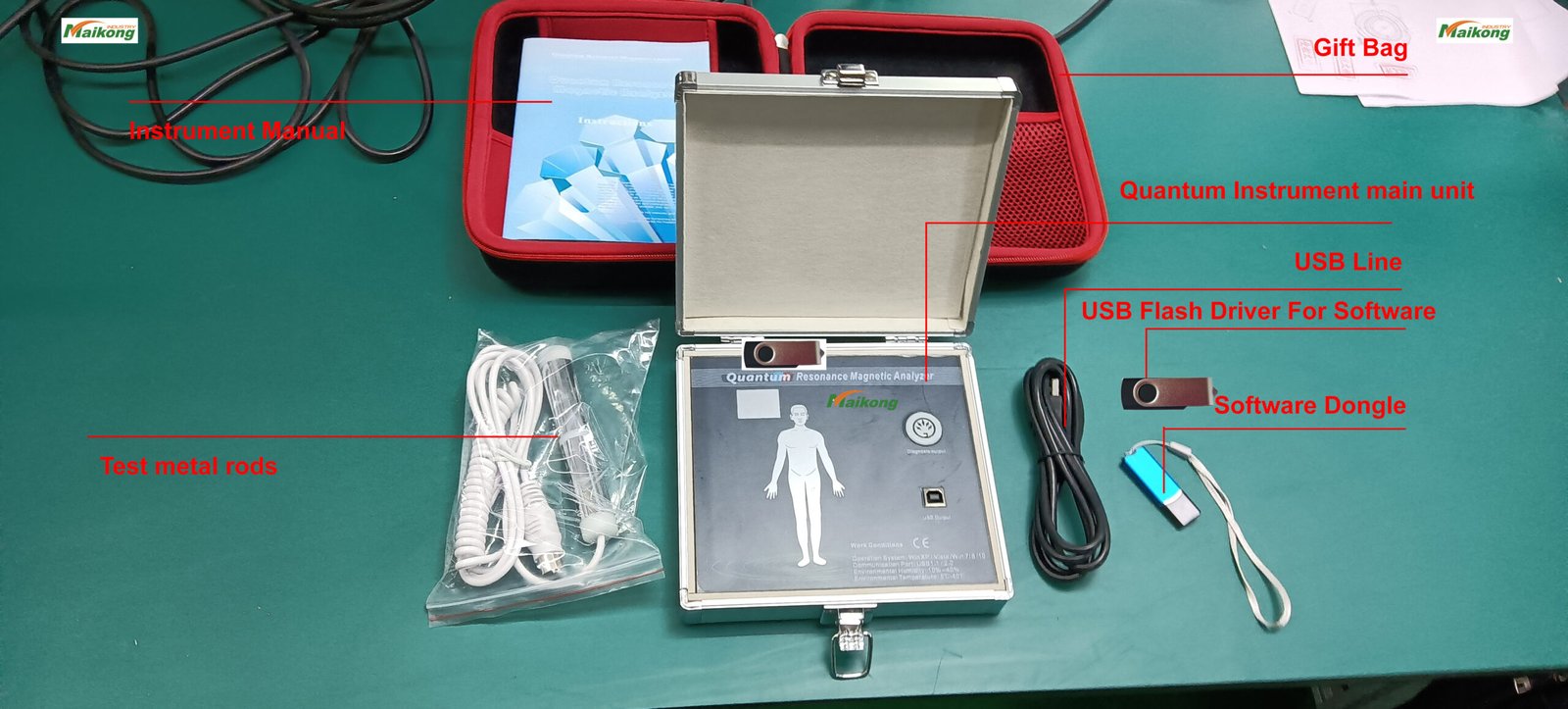
To solve password and file access issues, you first need to understand how your quantum analyzer system works together. The MAIKONG MK-004 system consists of several interconnected components.
Core System Components
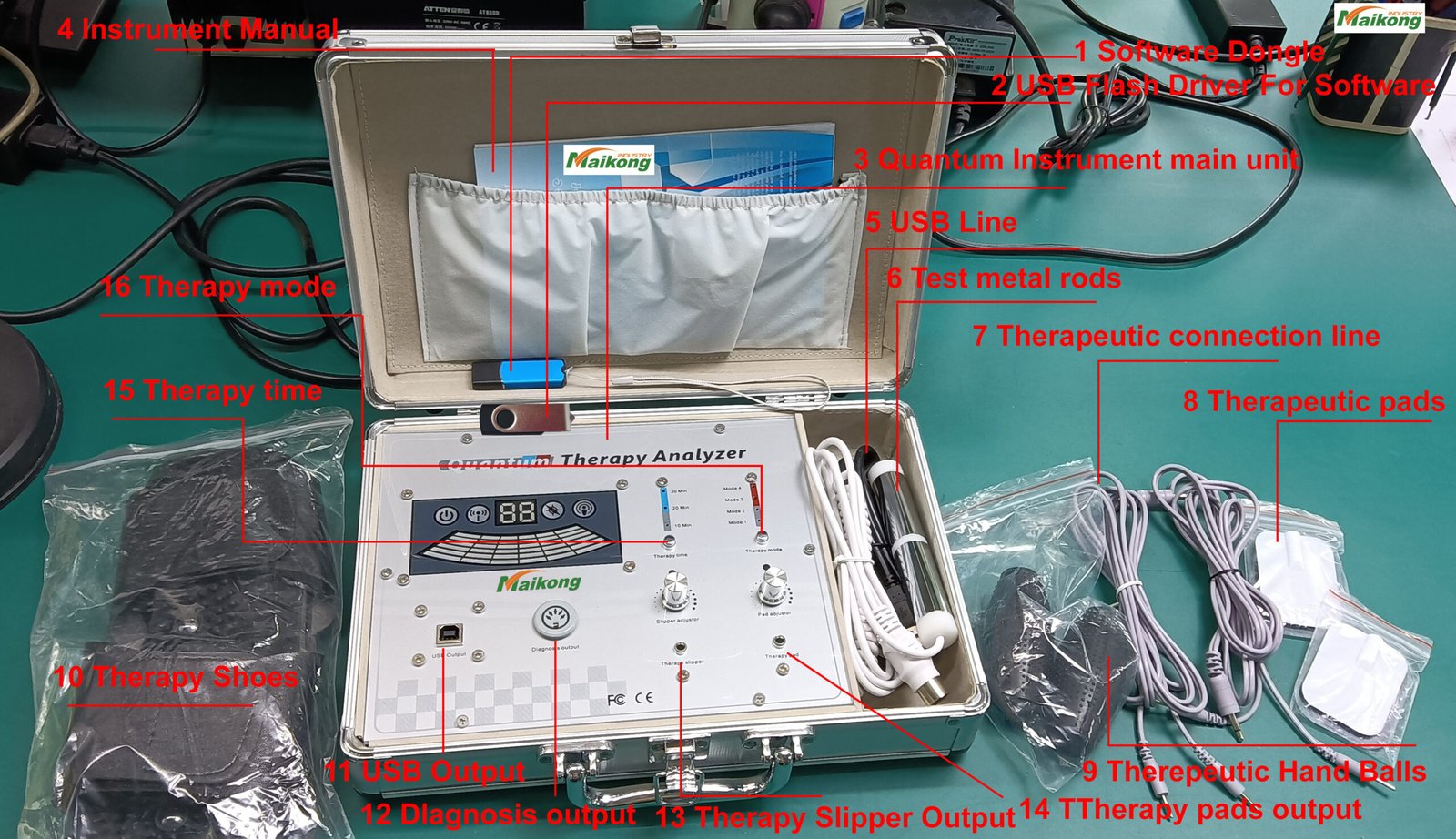
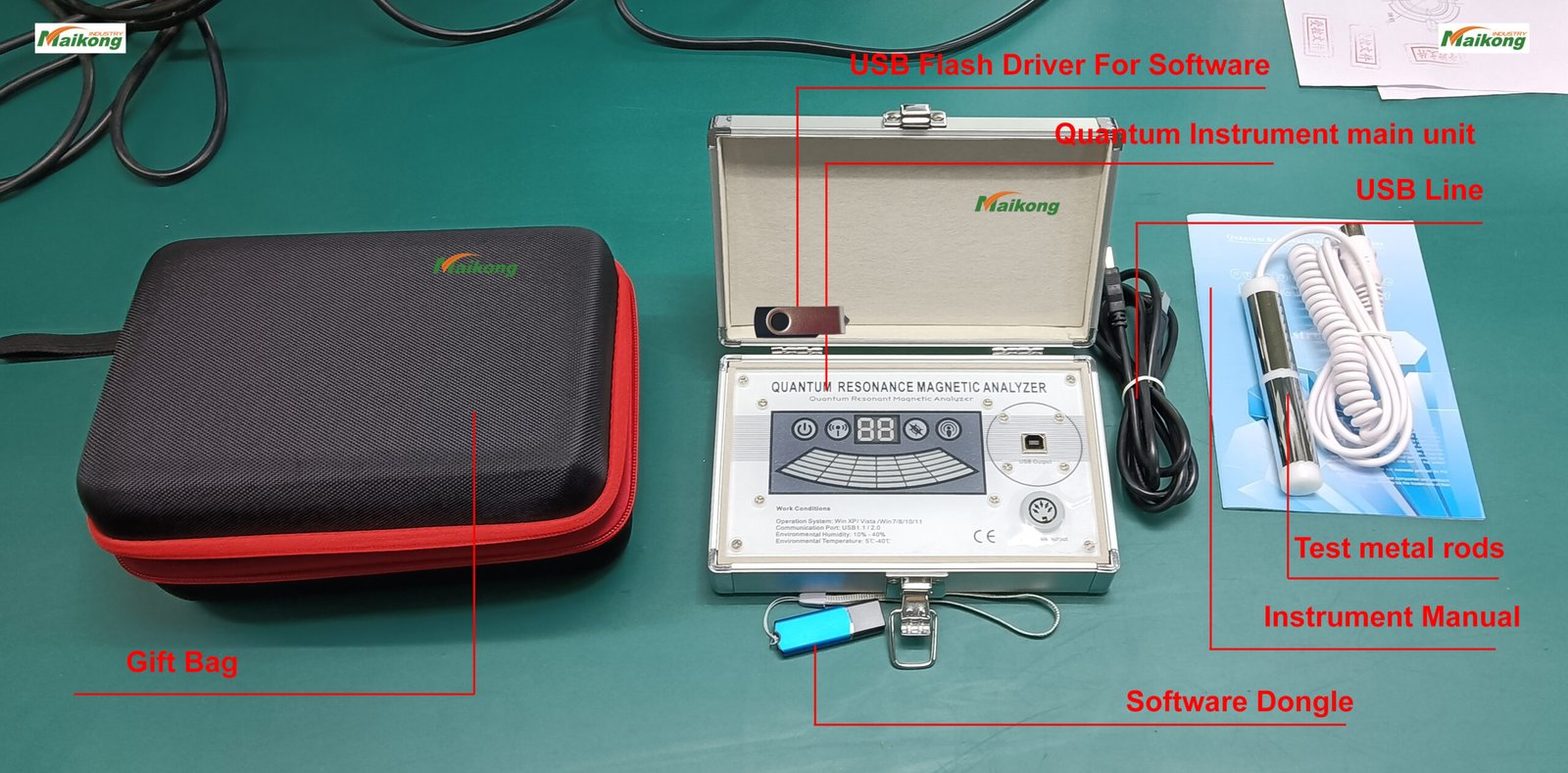
Hardware Elements
USB Encryption Lock – Security key that validates genuine MAIKONG software
Metal Sensor Handle – Collects electromagnetic frequency data from the user
Main Unit – Processes signals and connects to your computer
USB Cable – Links the analyzer to your PC for data transfer
Software Components
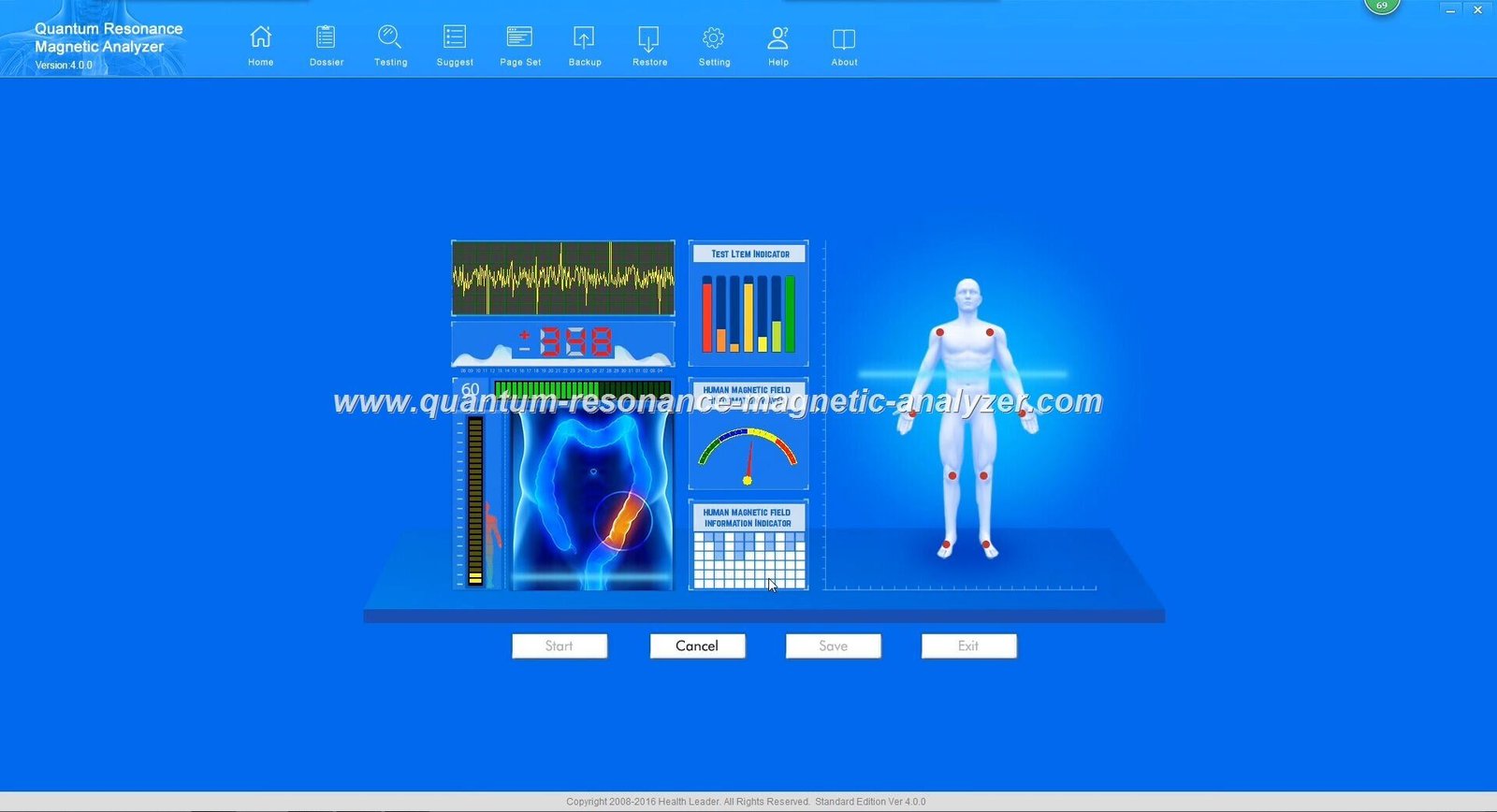
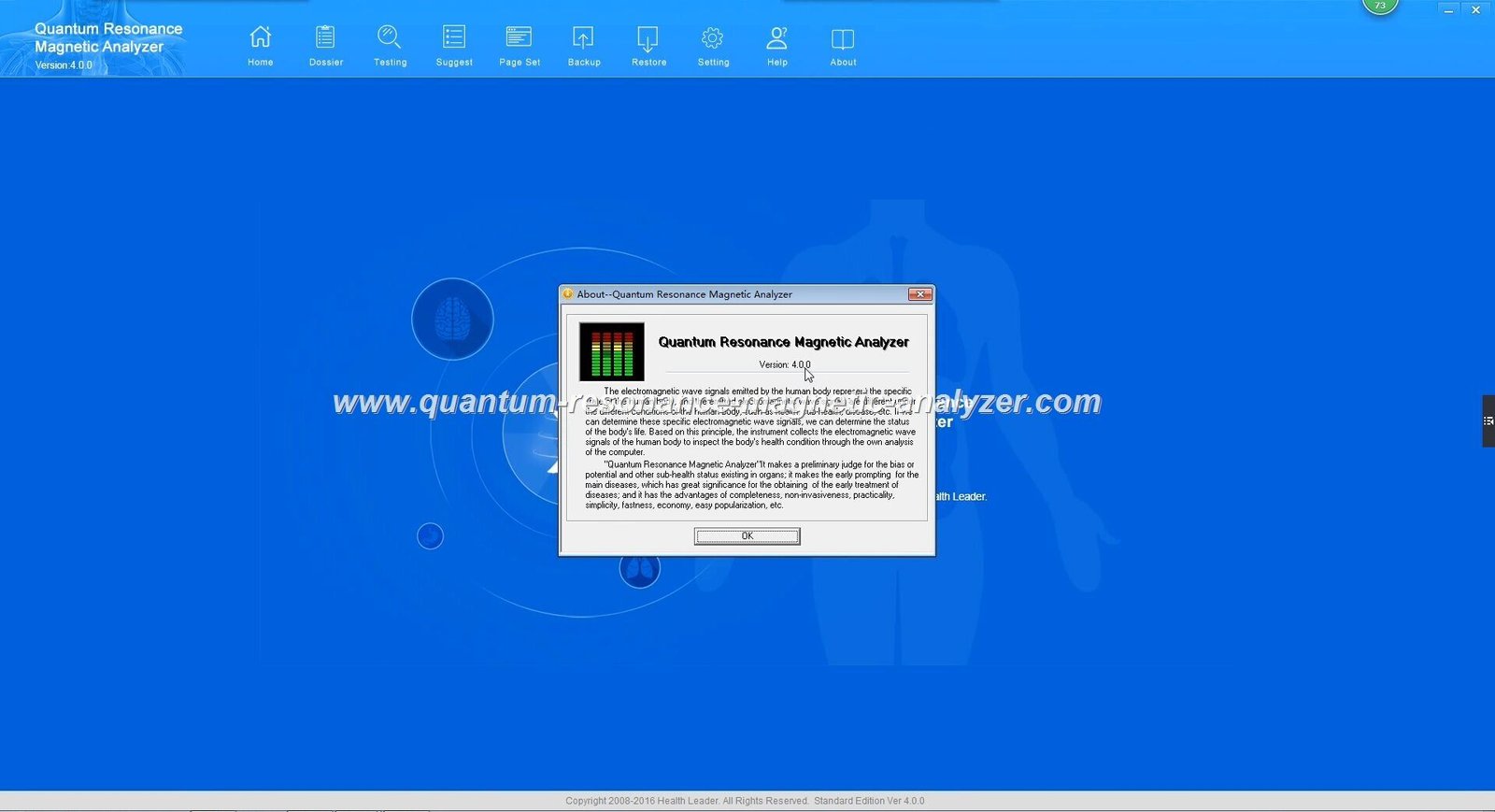
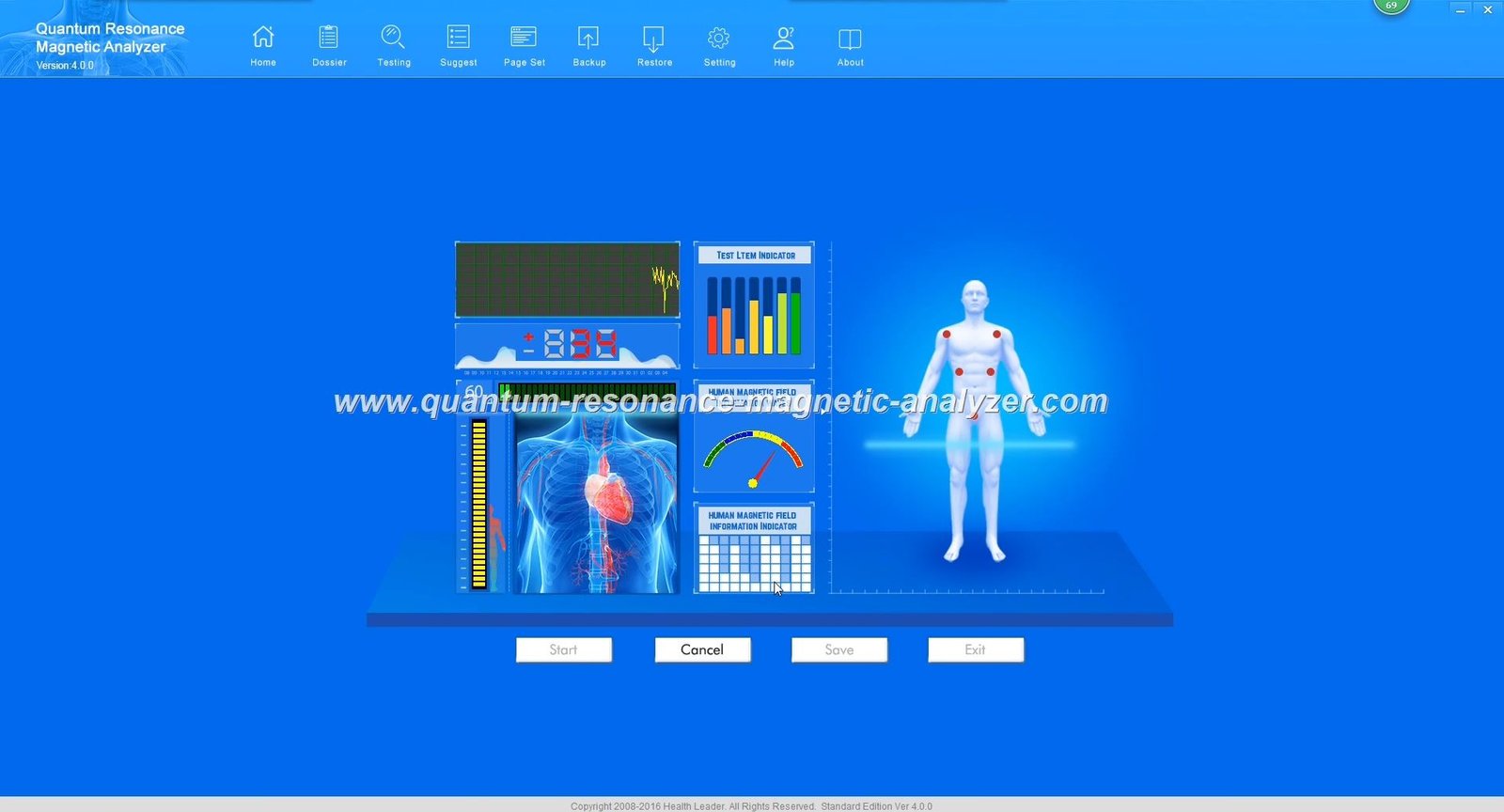
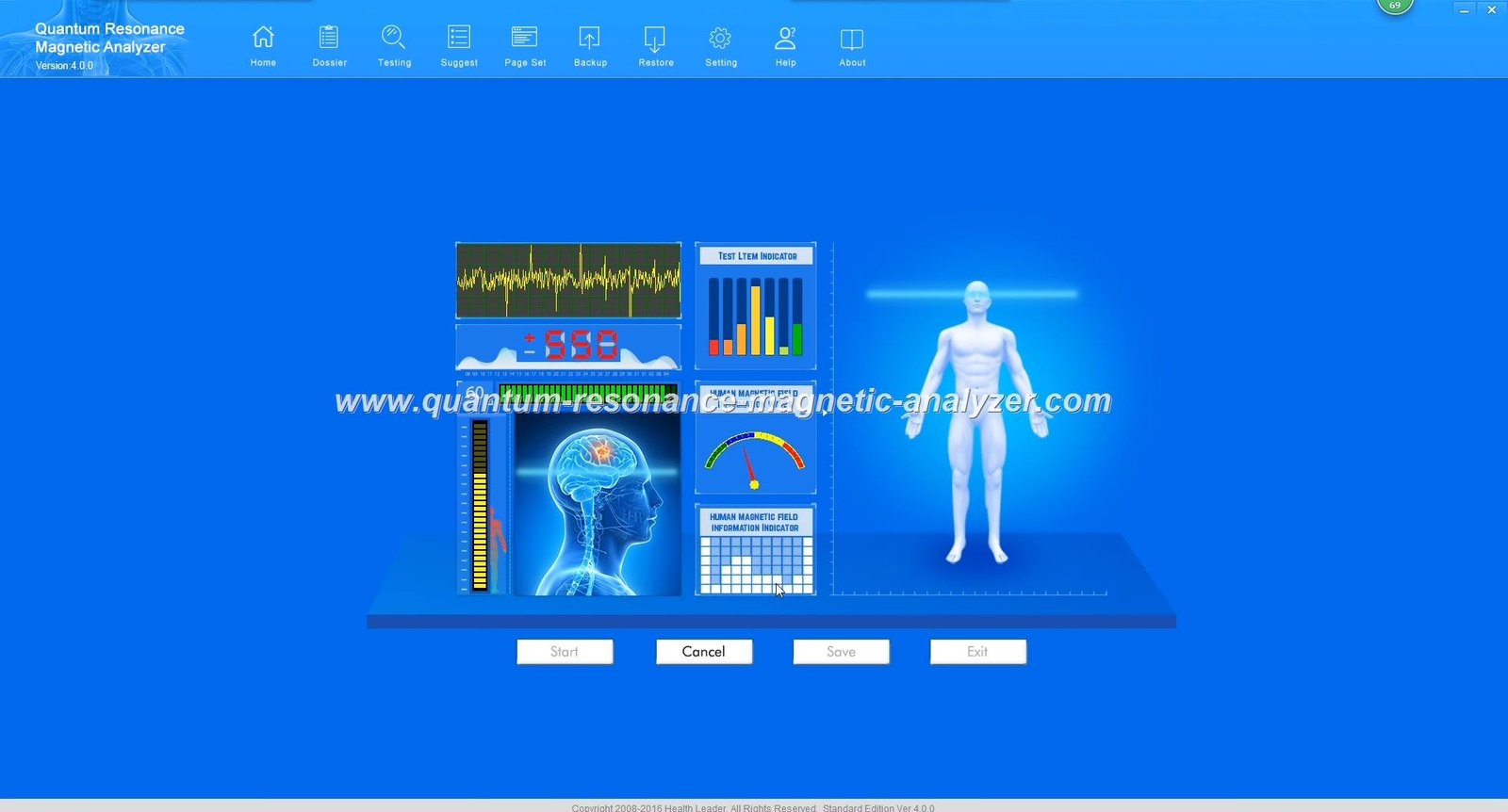
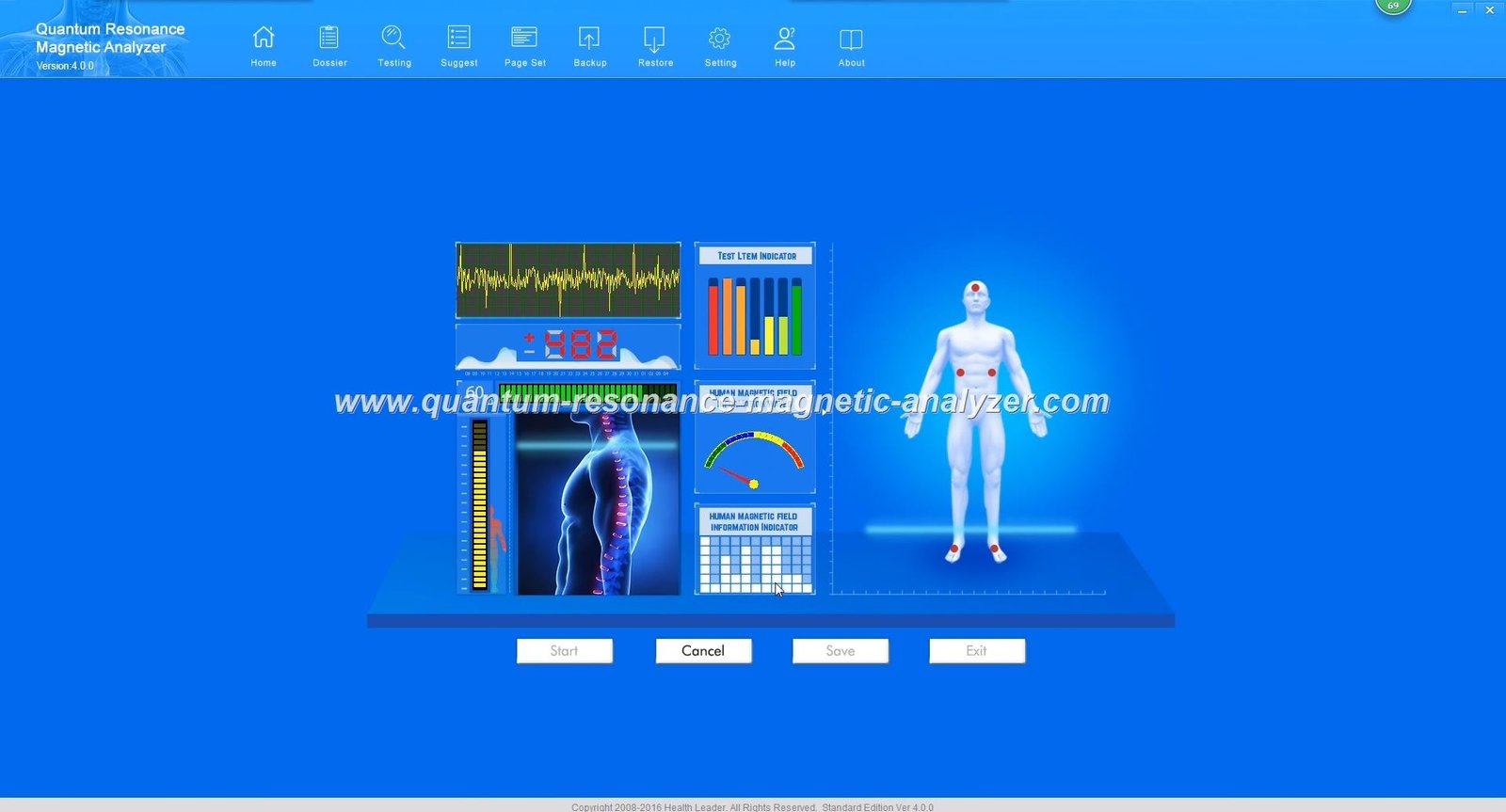
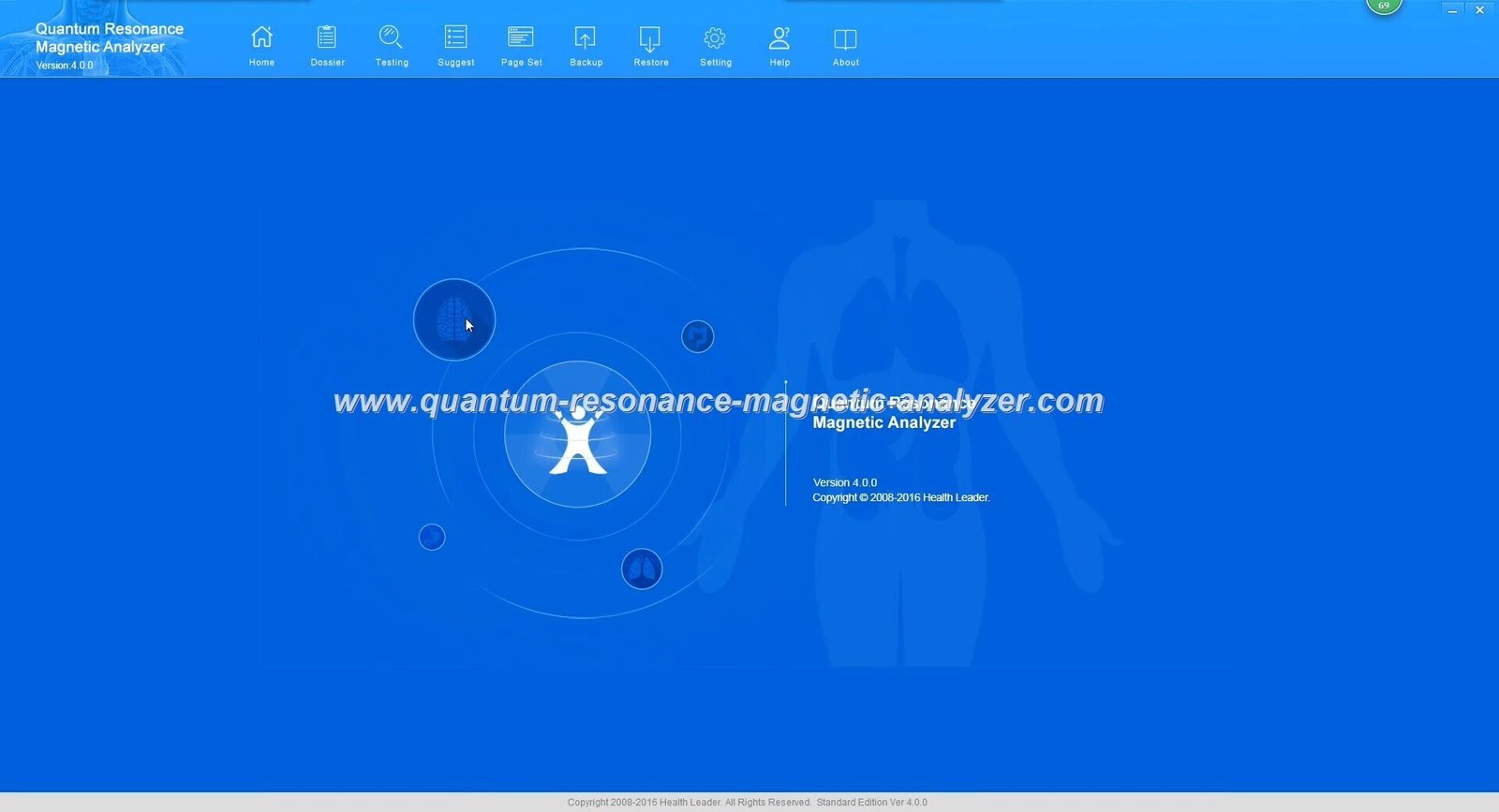
Main Application – Interface for conducting tests and viewing results
Report Generator – Creates PDF files from scan data
Database Files – Stores reference spectrums and comparison data
Language Packs – Enables 40+ language versions including English and Filipino
How the System Protects Your Reports
Genuine MAIKONG systems use a two-layer security approach. The encryption lock validates your software license. The report files themselves may have additional password protection to ensure client data privacy. This security is why quantum resonance magnetic analyzer password issues occur when components don’t match correctly.
Important: The MAIKONG MK-004 model (Weight: 4KG, Dimensions: 40×28×15 CM, Price: $80-150 USD, Rating: 4.85/5) is designed to work exclusively with authentic MAIKONG software. Counterfeit devices often fail to open report files properly because they use incompatible encryption systems.
Common Quantum Resonance Magnetic Analyzer Test Report File Open Problems
Based on 22 years of manufacturing experience and supporting thousands of users worldwide, MAIKONG has identified eight primary issues that prevent quantum analyzer reports from opening correctly.
The Eight Most Frequent Report File Problems
1. USB Encryption Key Not Detected
Your computer doesn’t recognize the USB security dongle. The software opens but immediately prompts for a password or displays “Encryption lock not found” error message.
USB port may be damaged
Driver not installed correctly
Counterfeit encryption key
Windows security blocking the device
2. Password Prompt Without Credentials
When opening a saved report, a password dialog appears, but you never received password information from your seller or the report creator.
Report protected by previous user
Software version mismatch
Counterfeit software requiring passwords
Missing password documentation
3. Report File Corruption
The file opens partially or displays error messages like “File corrupted” or “Cannot read document.” This typically happens after unexpected software closure during report generation.
Power interruption during save
Insufficient disk space
Antivirus interference
Hard drive issues
4. Software Version Incompatibility
Reports created with one software version won’t open in another. This is especially common with counterfeit devices that only support a single fixed version.
Old software trying to open new reports
Genuine software vs. cracked version
Different language version conflicts
Outdated report format
5. Windows Compatibility Problems
Genuine MAIKONG software supports Windows 2000/XP/Vista/7/8/10/11/12 (32-bit and 64-bit). However, counterfeit versions often fail on newer Windows versions, particularly Windows 10 and 11.
Missing .NET Framework
Administrator permission issues
Windows Defender blocking execution
Compatibility mode not set
6. Missing Database Files
The main application opens, but reports show blank data or missing reference information. This indicates database files weren’t installed correctly or were corrupted.
Incomplete software installation
Files deleted by antivirus
Corrupted installation media
Partial software copy
7. Counterfeit Device Limitations
Non-genuine devices only support one locked software version. If you try to upgrade or use alternative versions, report files become inaccessible. Genuine MAIKONG devices support 50+ versions.
Cloned encryption system
Locked to single version
No upgrade capability
Limited language options
8. Network or Cloud Storage Issues
Reports saved to cloud storage or network drives may not open properly due to file permission restrictions or synchronization delays affecting the report file integrity.
Network permission restrictions
Cloud sync incomplete
File path too long
Special characters in filename
Verify Your MAIKONG Device Authenticity
Before attempting complex troubleshooting, it’s crucial to verify whether you have a genuine MAIKONG product. Counterfeit devices are the number one cause of persistent quantum resonance magnetic analyzer password and file access problems.
Free MAIKONG Device Authentication Service
If you purchased your quantum analyzer from a source other than MAIKONG directly, we offer free verification. Send us four photos of your device from different angles, and our team will confirm authenticity within 24 hours. Verified genuine devices receive free software downloads and lifetime support.
Photo 1: Front view showing the MAIKONG logo and model number clearly
Photo 2: Back panel with serial number visible
Photo 3: Close-up of USB encryption lock showing any markings
Photo 4: Full system setup including cables and accessories
Purchase Information: When and where you bought the device
Current Problem: Brief description of your password or file access issue
Counterfeit Device Warning: If verification reveals a non-genuine device, you have three options: 1) Contact your seller for refund, 2) Purchase authentic MAIKONG software for compatibility testing ($50 USD), or 3) Consider upgrading to genuine MK-004 model. Unfortunately, counterfeit devices cannot access MAIKONG’s software update servers or technical support systems.
Step-by-Step Solutions for Quantum Resonance Magnetic Analyzer Test Report File Open Problems
Follow these systematic troubleshooting procedures to resolve your report file access issues. Each solution addresses specific error types identified by MAIKONG’s technical support team.
Solution 1: USB Encryption Key Detection Fix
Unplug the USB encryption key from your computer completely. Wait 10 seconds.
Check USB port functionality by inserting another USB device (flash drive, mouse) into the same port. If other devices don’t work, try a different USB port.
Clean the USB connector carefully with compressed air or a soft dry cloth. Dust accumulation can prevent proper connection.
Reinsert the encryption key into a USB 2.0 port (not USB 3.0 blue port). Some encryption keys have compatibility issues with USB 3.0.
Wait for driver installation. Windows should automatically detect and install drivers. Watch the system tray for installation notifications.
Check Device Manager. Press Windows Key + X, select Device Manager, and look under “USB Controllers” or “Security Devices” for your encryption key.
Install drivers manually if automatic installation fails. Navigate to the MAIKONG software CD, find the “Drivers” folder, and run the setup file.
Restart your computer after driver installation to ensure all changes take effect.
Launch the software and check if the “USB Key not found” error disappears.
Solution 2: Password Recovery Procedure
If your report file requests a password you don’t have, this procedure may help. Note that genuine MAIKONG software typically doesn’t password-protect reports unless the user specifically enables this feature.
Check documentation that came with your device. Some sellers include a password sheet with the original packaging.
Try default passwords. Common defaults include: “123456”, “888888”, “000000”, “admin”, or “password”. Genuine MAIKONG devices don’t use preset passwords.
Contact your seller if you purchased from a distributor. They may have set a password during setup.
Verify MAIKONG authenticity. If the device is genuine, MAIKONG can provide password reset assistance. Email Lucy@quantumscanner.ph with your device serial number.
Check software settings. Open the main application, go to Settings > Security, and check if “Password protect reports” is enabled. Disable it for future reports.
Create new test report. If only old reports are password-protected, generate a new test scan without password protection enabled.
Export data alternative. Genuine MAIKONG software allows exporting report data to unprotected formats. Try File > Export > CSV or TXT format.
Genuine MAIKONG Advantage: Authentic MAIKONG software never requires passwords unless you specifically set them. If every report file demands a password you didn’t create, this strongly indicates counterfeit software.
Solution 3: Windows Compatibility Fix
For Windows 10/11 Users
Right-click the MAIKONG software shortcut
Select “Properties” from the menu
Click the “Compatibility” tab
Check “Run this program in compatibility mode for:”
Select “Windows 7” or “Windows XP SP3” from dropdown
Check “Run this program as administrator”
Click “Apply” then “OK”
Launch the software using the modified shortcut
Additional Windows Settings
Disable Windows Defender real-time protection temporarily
Add software folder to antivirus exclusion list
Ensure .NET Framework 4.5 or higher is installed
Update Windows to latest version for driver compatibility
Check Windows Event Viewer for specific error codes
Verify sufficient hard drive space (minimum 500MB free)
Close other USB-intensive applications before launching
Solution 4: Software Reinstallation Process
Sometimes a clean reinstallation resolves persistent file access issues. This procedure ensures all components install correctly.
Backup existing reports. Copy all report files from the software’s Reports folder to a safe location (Documents or Desktop).
Close the software completely. Check Task Manager (Ctrl+Shift+Esc) to ensure no MAIKONG processes are running.
Uninstall current software. Go to Control Panel > Programs > Uninstall a Program. Find the quantum analyzer software and uninstall.
Delete remaining folders. Navigate to C:Program Files and delete any MAIKONG or quantum analyzer folders that remain.
Clean registry entries (optional, advanced users). Use a registry cleaner or manually remove quantum analyzer entries from Windows Registry.
Restart computer to clear any cached settings.
Disable antivirus temporarily during installation to prevent file blocking.
Insert MAIKONG installation media (CD or USB drive with genuine software).
Run installer as administrator. Right-click the setup file and select “Run as administrator”.
Choose complete installation. Select all components including drivers, database files, and language packs.
Allow all Windows firewall prompts that appear during installation.
Install USB drivers when prompted, even if Windows claims they’re already installed.
Do not launch software immediately after installation completes. Restart computer first.
After restart, insert USB encryption key before launching software.
Launch software and verify it opens without errors.
Test report opening. Try opening your backed-up report files.
Stuck During Troubleshooting?
Our technical team can guide you through these steps via WhatsApp screen sharing or provide remote assistance for complex issues. Don’t spend hours troubleshooting alone.
How to Distinguish Genuine MAIKONG from Counterfeit Devices
Understanding the differences between authentic and counterfeit quantum analyzers is essential for resolving quantum resonance magnetic analyzer password issues permanently. Counterfeit devices are the root cause of approximately 70% of reported file access problems.
Comprehensive Comparison: Genuine vs. Counterfeit
Feature
Genuine MAIKONG MK-004
Counterfeit Device
USB Encryption Key
Supports 50+ software versions, compatible with all Windows versions (2000-12), allows free lifetime upgrades
Locked to single software version, often fails on Windows 10/11, no upgrade capability
Report File Access
Opens seamlessly without passwords (unless user-set), cross-version compatibility, backward compatible
Frequent password prompts, version-locked reports, incompatible across software updates
Language Support
40+ languages including English, Spanish, Chinese, Filipino, Japanese, Korean, etc.
Usually 1-3 languages only, no language switching capability
Software Updates
Free lifetime updates, access to latest versions, compatibility patches released regularly
No updates available, stuck with purchase version forever, security vulnerabilities
No warranty or very limited, seller-dependent, no manufacturer backing
Database Updates
Regular database updates with new health parameters, research-backed reference values
Static database, outdated reference values, no updates available
Physical Identification Markers
Genuine MAIKONG Signs
Clear, professionally etched MAIKONG logo on device front panel
Serial number plate with holographic security strip on back panel
USB encryption key has “MAIKONG” engraving and model number
Sensor handle has substantial weight and smooth metal finish
Cables are thick, durable, and properly shielded
Packaging includes MAIKONG warranty card with QR code
Installation CD has professional label with contact information
User manual is high-quality paper with color illustrations
Counterfeit Warning Signs
Blurry or peeling logo sticker instead of etched marking
No serial number or simple printed number (not engraved)
Generic USB key with no markings or wrong brand name
Lightweight sensor handle with rough or painted finish
Thin, easily damaged cables without proper shielding
Plain packaging or packaging with spelling errors
CD-R disc with handwritten or inkjet-printed label
Black and white photocopied manual or no manual at all
Discovered You Have a Counterfeit Device?
Don’t panic. MAIKONG offers special upgrade pricing for users who unknowingly purchased counterfeit devices. Trade in your old device and receive a 30% discount on a genuine MK-004 model. We’ll also provide free software migration assistance to transfer your existing client data.
Downloading Legitimate MAIKONG Software for Verified Devices
Once you’ve verified your device is genuine MAIKONG, you can access our official software repository. This section explains the download and installation process for authentic users.
MAIKONG Software Access Policy
Genuine MAIKONG Customer Benefits
Free software download from official repository
Access to all 50+ software versions
Lifetime free updates and upgrades
Technical support for installation issues
Custom software versions available upon request
Multi-language support (40+ languages)
Priority access to new features and reports
Database updates included at no cost
Non-MAIKONG Purchaser Limitations
Must provide device photos for authentication
Limited to software testing (trial period)
May require software purchase if device incompatible
No guarantee of counterfeit device compatibility
Standard technical support not available
Must contact original seller for official software
Upgrade path requires genuine device purchase
Official MAIKONG Software Download Process
Verify device authenticity by emailing device photos to Lucy@quantumscanner.ph
Receive verification confirmation within 24 hours with your device serial number confirmation
Access download link provided in verification email (unique link generated for your device)
Choose appropriate version. Options include:
English Standard Version (most common for Philippines)
Multi-language versions (English + Chinese + Spanish, etc.)
2026 Black Interface Version (latest UI)
2026 Classic Interface Version (traditional layout)
Specialized versions (Amway edition, Professional edition)
Download software package (file size approximately 150-300MB depending on version)
Verify download integrity using provided MD5 checksum
Extract files if downloaded as ZIP archive
Follow installation guide included in download package
Important Download Note: MAIKONG software is only distributed through official channels. Never download quantum analyzer software from file-sharing sites, torrent networks, or unofficial software repositories. These sources often contain outdated versions, malware, or counterfeit software that will cause quantum resonance magnetic analyzer password and file access problems.
Contact our technical team to verify your device and receive your personalized download link. If you don’t have a MAIKONG device yet, inquire about our current stock of 10,000+ units available for immediate shipment to the Philippines.
Philippines-Specific Purchasing and Support Information
MAIKONG recognizes the unique needs of the Philippine wellness market. This section addresses common questions from Filipino clinic operators, spa owners, and health professionals regarding quantum analyzer acquisition and support.
Why Choose MAIKONG for Your Philippines Business
4.85
Overall MAIKONG Rating
Product Quality
4.8/5
Software Stability
4.9/5
Technical Support
4.7/5
Value for Money
4.9/5
Ease of Use
4.6/5
MAIKONG Presence in the Philippines
MAIKONG has served the Philippine market for over 15 years through our authorized distributor network. Our devices are used by wellness centers, direct-selling companies (including Amway, Natura, Herbalife, Nu Skin, and USANA representatives), beauty salons, natural therapy clinics, and health supplement retailers across Metro Manila, Cebu, Davao, and provincial areas.
Current Stock and Availability
Model: MK-004 (Latest generation)
Philippine Stock: 10,000+ units ready for immediate shipment
Business Partnership Opportunities in the Philippines
MAIKONG actively seeks distributors and agents throughout the Philippines. Whether you operate a single wellness clinic or manage a chain of health centers, we offer competitive partnership terms.
Individual Reseller Program
Minimum Order: 5 units
15% discount on retail price
Free shipping for orders over 10 units
Technical training materials provided
Marketing materials (brochures, posters)
Online support via WhatsApp
Product listing on quantumscanner.ph
Regional Distributor Program
Minimum Order: 50 units
25% discount on retail price
Exclusive regional territory rights
Free shipping and customs handling
On-site training visit (1-2 days)
Dedicated account manager
Co-branded marketing materials
Priority technical support
Quarterly business reviews
National Master Distributor
Minimum Order: 200 units
35% discount on retail price
Exclusive national distribution rights
Free shipping and logistics support
Comprehensive training program (1 week)
OEM/ODM customization options
Software localization support
Joint marketing campaigns
Annual business planning sessions
Access to new product launches first
OEM/ODM Customization for Philippines Market
MAIKONG offers comprehensive customization services for partners who want to establish their own brand identity while leveraging our 22 years of manufacturing expertise.
Appearance Customization
Custom logo engraving on device front panel
Brand color scheme for device casing
Customized packaging with your branding
Personalized user manual design and printing
Branded USB encryption key
Custom sensor handle colors
Promotional insert materials
Software Customization
Custom splash screen with your logo
Branded report headers and footers
Customized interface colors and themes
Additional language translation (Tagalog, Cebuano, etc.)
Frequently Asked Questions About Quantum Resonance Magnetic Analyzer Password Issues
Q1: My quantum analyzer software keeps asking for a password I never set. What should I do?
A: This typically indicates one of three issues. First, check if you have a genuine MAIKONG device by examining the USB encryption key for MAIKONG branding. Genuine MAIKONG software doesn’t require passwords unless specifically configured by the user in Settings > Security. Second, you may have inadvertently enabled password protection. Open the software, navigate to Settings > Security, and disable “Password protect reports.” Third, if you purchased a used device, the previous owner may have set a password. Contact MAIKONG technical support at Lucy@quantumscanner.ph with your device serial number for password reset assistance. For immediate help, WhatsApp +86-135-1090-7401.
Q2: The software says “USB Key not found” even though the encryption key is plugged in. How do I fix this?
A: Try these steps in order: 1) Unplug the USB key, wait 10 seconds, and plug it into a different USB port (preferably USB 2.0, not the blue USB 3.0 ports). 2) Open Device Manager (Windows Key + X, then select Device Manager) and check if the device appears under “USB Controllers” or “Security Devices.” 3) If not visible, the USB key driver may not be installed. Insert the MAIKONG software CD, navigate to the Drivers folder, and run the driver installation file. 4) Restart your computer after driver installation. 5) If the problem persists, your USB key may be defective or counterfeit. Contact MAIKONG support to verify authenticity and obtain a replacement if genuine.
Q3: Can I open report files created on one computer on a different computer?
A: Yes, with genuine MAIKONG devices and software. Report files are portable and can be opened on any computer with MAIKONG software installed, as long as the USB encryption key is present. Simply copy the report files (usually located in the Reports folder within your MAIKONG installation directory) to the new computer via USB drive, email, or cloud storage. Then insert your USB encryption key into the new computer, open the MAIKONG software, and use File > Open Report to access the files. Counterfeit devices often create version-locked reports that only work with the specific software installation used to create them, which is why genuine MAIKONG devices offer superior flexibility.
Q4: How can I tell if my quantum analyzer is a genuine MAIKONG or a counterfeit?
A: Several indicators distinguish genuine MAIKONG devices: 1) Check the USB encryption key for “MAIKONG” engraving and model number. Generic or unmarked keys indicate counterfeit. 2) Examine the device front panel for a professionally etched (not sticker) MAIKONG logo. 3) Look for a serial number plate on the back with holographic security features. 4) Genuine MAIKONG devices support 50+ software versions and 40+ languages, while counterfeits typically lock to one version. 5) Try updating the software – genuine devices allow free updates, counterfeits cannot upgrade. 6) The simplest method: email four photos of your device to Lucy@quantumscanner.ph for free verification. MAIKONG’s technical team can definitively confirm authenticity within 24 hours and provide appropriate support regardless of the result.
Q5: My report files won’t open after upgrading to Windows 11. Is there a solution?
A: Genuine MAIKONG software is fully compatible with Windows 11 (both 32-bit and 64-bit versions). If you’re experiencing issues after upgrading Windows, try these steps: 1) Right-click the MAIKONG software shortcut and select Properties > Compatibility tab. 2) Check “Run this program in compatibility mode” and select “Windows 7.” 3) Check “Run this program as administrator.” 4) Apply and restart the software. 5) Ensure .NET Framework 4.5 or higher is installed (download from Microsoft’s website if needed). 6) Temporarily disable Windows Defender to test if it’s blocking the software. If problems persist, you may need to reinstall the software. Contact MAIKONG technical support for a Windows 11 optimized version if your current installation is outdated. For counterfeit devices, Windows 11 compatibility is unlikely – these devices typically don’t support newer operating systems.
Q6: What’s the difference between the various MAIKONG software versions available?
A: MAIKONG offers 50+ software versions to accommodate different user needs and preferences. The main categories are: 1) Language Versions – Each supports a specific language interface (English, Spanish, Chinese, etc.). Most versions include 53 comprehensive reports. 2) Interface Versions – The 2026 Black Interface offers a modern, sleek design, while the Classic Interface maintains the traditional layout familiar to long-time users. 3) Specialized Editions – The Amway Edition includes features tailored for direct-selling professionals, while the Professional Edition adds advanced parameters and extended report formats. 4) Multi-language Versions – Some versions combine 2-3 languages in one installation (e.g., English + Chinese + Malay). All genuine MAIKONG devices can use any version, and you can switch between versions freely. For Philippines users, we recommend the English Standard Version or the Multi-language version including English.
Q7: I purchased my analyzer from a local Philippines seller, but now I need support. Will MAIKONG help me?
A: Yes, MAIKONG provides support for all genuine devices regardless of where you purchased them. Follow this process: 1) Email four photos of your device (front, back with serial number, USB key close-up, and full setup) to Lucy@quantumscanner.ph with subject “Device Verification Request.” 2) Include your purchase date and seller information if available. 3) Within 24 hours, MAIKONG will verify authenticity and provide appropriate support. For genuine devices: You’ll receive free software downloads, troubleshooting assistance, and access to technical support. For counterfeit devices: MAIKONG will inform you honestly and offer options including upgrade programs with trade-in discounts. We serve the entire Philippines wellness community and want to help resolve your issues regardless of your device’s origin. Our goal is ensuring every quantum analyzer user has a positive experience and can successfully serve their clients.
Q8: Can I get the software in Tagalog or Cebuano for my Philippines clinic?
A: Currently, MAIKONG’s standard 40+ language versions include English, which is widely used in Philippine clinics and wellness centers. However, MAIKONG offers custom language translation services for distributors and large-volume partners. If you’re interested in a Tagalog or Cebuano version, contact Lucy@quantumscanner.ph to discuss customization options. This service is typically available for orders of 50+ units or for established distributors. The translation process takes approximately 4-6 weeks and includes full interface localization, report translation, and user manual adaptation. For individual users or small clinics, we recommend the English version, which most Philippine health professionals find straightforward to use. Many Filipino users also appreciate the multi-language versions (English + Chinese + Spanish) that allow them to serve diverse client populations.
Q9: How much does it cost to replace a lost or damaged USB encryption key?
A: Replacement USB encryption keys for genuine MAIKONG devices are available for USD plus shipping. The replacement process requires device verification: 1) Provide your original device serial number and purchase proof (receipt, invoice, or email confirmation). 2) MAIKONG verifies your device registration in their system. 3) A new encryption key paired to your device is manufactured and shipped within 5-7 business days. 4) For Philippines customers, shipping typically takes 7-14 days via international courier. Important: Each encryption key is uniquely paired to a specific device for security purposes. You cannot use someone else’s key with your device, and generic USB keys won’t work. This security feature protects your investment and ensures software authenticity. Prevention tip: Always keep your USB encryption key in a safe place when not in use, and consider photographing your serial number for record-keeping.
Q10: What support does MAIKONG provide for Philippines distributors and resellers?
A: MAIKONG offers comprehensive support for Philippines business partners including: 1) Technical Support – 24/7 WhatsApp assistance, email support, and remote troubleshooting for you and your customers. 2) Training – Online training materials, video tutorials, and for large distributors, optional on-site training visits. 3) Marketing Materials – Brochures, product photos, demo videos, and co-branded marketing materials for your local promotion. 4) Software Customization – Custom splash screens, branded reports, and interface modifications for your business identity. 5) Inventory Management – Flexible ordering terms, stock holding assistance, and just-in-time delivery options. 6) Business Development – Market analysis, pricing strategies, and partnership with established Philippine wellness networks. 7) After-Sales Assistance – We support your customers directly when needed, ensuring high satisfaction and repeat business. To explore distributor opportunities, email Lucy@quantumscanner.ph or WhatsApp +86-135-1090-7401 with “Philippines Distributor Inquiry” in your message.
MAIKONG MK-004 Technical Specifications and Features
Understanding your quantum analyzer’s capabilities helps you maximize its value for your wellness business and troubleshoot issues more effectively.
Complete Technical Specifications
Model Number
MK-004 (2026 Edition)
Dimensions (L × W × H)
40cm × 28cm × 15cm
Weight
4.0 KG (net weight), 5.2 KG (with packaging)
Price Range
$80-150 USD (volume discounts available)
Customer Rating
4.85 out of 5.0 (based on 2,000+ reviews)
Stock Availability
10,000+ units in stock (Philippines delivery 7-14 days)
Operating Systems
Windows 98/SE/ME/2000/XP/Vista/7/8/10/11/12 (32-bit and 64-bit)
Language Support
40+ languages including English, Spanish, Chinese, Japanese, Korean, Filipino
USB hardware encryption lock (required for operation)
Software Updates
Lifetime free updates for genuine devices
Warranty Period
12 months manufacturer warranty
Certifications
CE, RoHS compliant
Package Contents
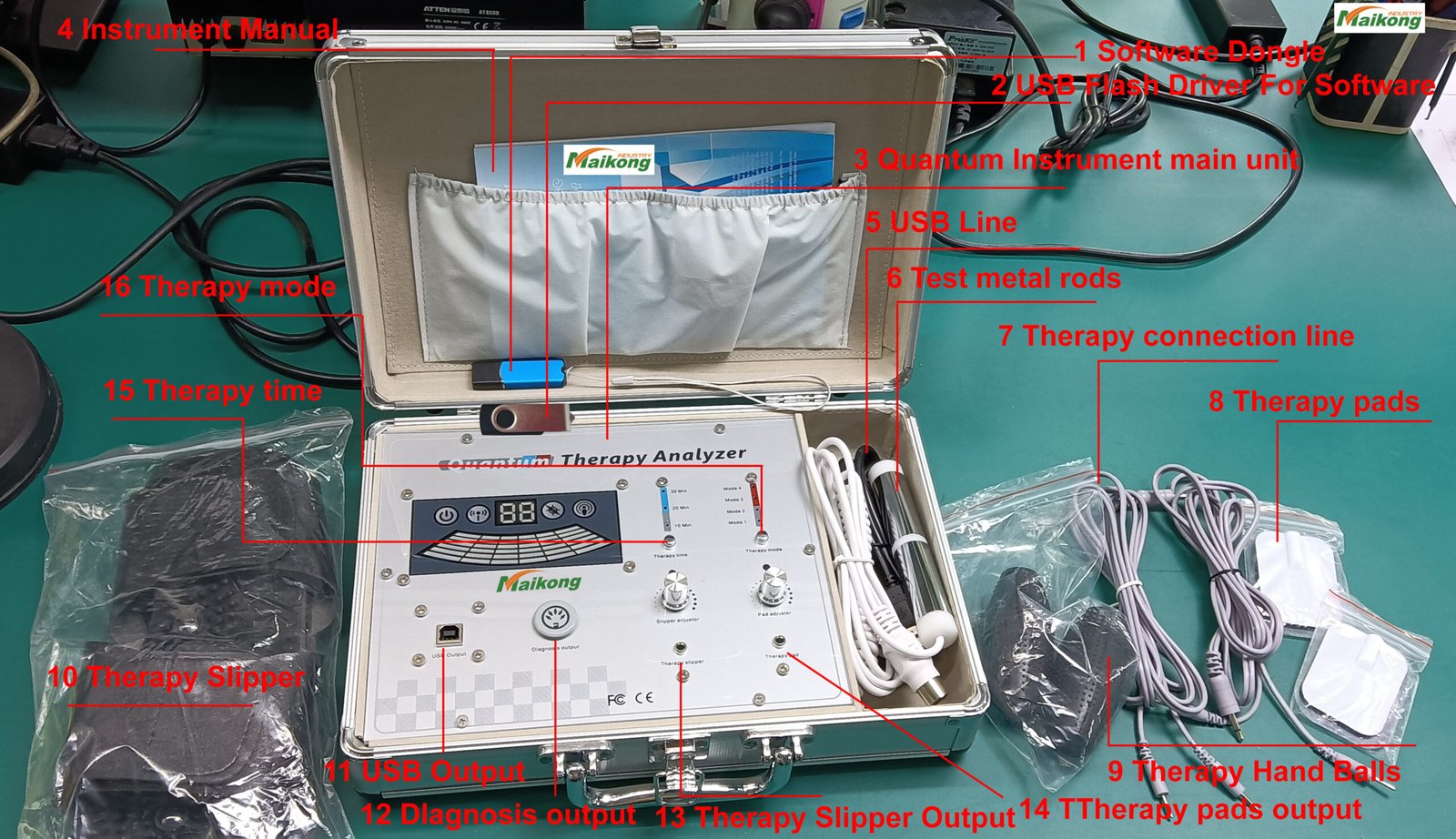
Main unit, USB encryption key, sensor handle, USB cable, software CD, user manual, massage slippers, ear tester, hand tester, TENS pads (2), warranty card
53 Comprehensive Health Reports Included
General Health Reports
Cardiovascular and Cerebrovascular
Gastrointestinal Function
Liver Function
Large Intestine Function
Gallbladder Function
Pancreatic Function
Kidney Function
Lung Function
Brain Nerve
Bone Disease
Bone Mineral Density
Rheumatoid Bone Disease
Bone Growth Index
Blood Sugar
Basic Physical Quality
Nutritional Analysis
Trace Element
Vitamin
Amino Acid
Coenzyme
Fatty Acid
Element of Human
Lecithin
Human Toxin
Heavy Metal
Blood Lipids
Allergy
Obesity
System Function Reports
Endocrine System
Immune System
Thyroid
Respiratory Function
Skin
Eye
Collagen
Channels and Collaterals
Pulse of Heart and Brain
Human Consciousness Level
Human Immunity
Gender-Specific Reports
Gynecology (Female)
Breast (Female)
Menstrual Cycle (Female)
Prostate (Male)
Male Sexual Function (Male)
Sperm and Semen (Male)
Male Hormone
Children’s Reports
Vitamin (Children)
Amino Acid (Children)
Coenzyme (Children)
ADHD (Children)
Fatty Acid (Children)
Specialized Analysis
Expert Analysis
Hand Analysis
Comprehensive Report Card
Note on Report Interpretation: All reports are intended for wellness, educational, and informational purposes only. The information generated is not intended to diagnose, treat, cure, prevent, or monitor any disease or medical condition. Users should always consult qualified healthcare professionals regarding any medical concerns. MAIKONG devices support wellness assessment, not medical diagnosis.
About MAIKONG: 22 Years of Quantum Health Technology Innovation
Understanding MAIKONG’s background helps you appreciate why our devices maintain password and file access reliability that counterfeit products cannot match.
MAIKONG Company Profile
Established in 2002, MAIKONG has specialized in quantum resonance magnetic analyzer manufacturing for over two decades. Our Shenzhen, China facility employs 150+ skilled technicians and produces 20+ types of sub-health detection instruments trusted by clinics, spas, and wellness centers worldwide.
Founded: 2002 (22+ years experience)
Headquarters: Shenzhen, Guangdong, China
Manufacturing Capacity: 50,000+ units annually
Global Reach: 80+ countries served
Current Stock: 10,000+ units ready to ship
R&D Team: 25 engineers specializing in wellness technology
Quality Certifications: CE, RoHS, ISO 9001:2015
Why MAIKONG Leads the Industry
Quality First Philosophy
Every MAIKONG device undergoes 17-point quality inspection before leaving our factory. From ergonomic sensor design to encrypted software validation, we ensure reliability that eliminates quantum resonance magnetic analyzer password problems caused by manufacturing defects.
Innovation Through Research
MAIKONG invests 15% of revenue into R&D, continuously improving software stability, expanding language support (now 40+ languages), and developing new health parameters based on the latest wellness research.
Global Support Network
Unlike competitors, MAIKONG maintains 24/7 multilingual technical support. Our Philippines customers receive the same priority assistance as clients in any other country, ensuring rapid resolution of file access and password issues.
MAIKONG’s Strategic Partnerships
Our devices are trusted by leading wellness organizations worldwide, including:
Direct Selling Companies
Amway
Natura
Herbalife
Nu Skin
USANA
Tianshi
Infinite
Healthcare Facilities
Wellness clinics
Natural therapy centers
Integrative health clinics
Preventive care facilities
Health screening centers
Beauty & Spa Industry
Day spas
Medical spas
Beauty salons
Wellness resorts
Holistic centers
Health Professionals
Natural therapy practitioners
Wellness consultants
Nutritionists
Health coaches
Fitness professionals
For complete information about MAIKONG’s history, certifications, and manufacturing process, visit our About MAIKONG page.
If you’ve successfully resolved your quantum resonance magnetic analyzer password issue with MAIKONG support, you’ve experienced firsthand the value of genuine products and reliable technical assistance. Have you considered turning this positive experience into a business opportunity?
Why Partner with MAIKONG Philippines
Growing Market – Philippines wellness industry expanding 12% annually
Proven Product – 22 years manufacturing experience, 4.85/5 customer rating
Full Support – Technical, marketing, and business development assistance
Low Entry Barrier – Start with just 5 units, scale to regional distribution
Customization Options – OEM/ODM services for your brand identity
Stock Availability – 10,000+ units ready for immediate Philippines shipment
Multi-Channel Revenue – Sell to clinics, spas, direct sellers, and retail customers
Success Story: Manila Distributor Case Study
“I started with just 10 MAIKONG analyzers for my three wellness clinics in Metro Manila. Within six months, word spread about the device’s reliability and MAIKONG’s excellent technical support. Now I supply 40+ clinics across Luzon and have built a six-figure annual revenue stream. The key was MAIKONG’s genuine products – no password issues, no software crashes, just satisfied customers who refer new business.”
— Maria Santos, MAIKONG Regional Distributor, Manila
Get Started Today
Become a MAIKONG Philippines Partner
Whether you’re an established wellness business owner or an entrepreneur entering the health technology market, MAIKONG offers partnership opportunities tailored to your goals and resources. Our team will work with you to develop a customized business plan, provide training, and support your growth every step of the way.
Take Action: Resolve Your Password Issues and Unlock Your Analyzer’s Full Potential
You now have comprehensive knowledge to solve quantum resonance magnetic analyzer password and quantum resonance magnetic analyzer test report file open problems. Whether your issue stems from USB encryption key detection, software version conflicts, Windows compatibility, or device authenticity concerns, the solutions in this guide provide clear paths forward.
Your Next Steps
If You Have Immediate Issues
Try the troubleshooting steps in Section 5
Verify your device authenticity by emailing photos to Lucy@quantumscanner.ph
Contact MAIKONG technical support via WhatsApp +86-135-1090-7401 for personalized assistance
If counterfeit, inquire about upgrade programs
If You’re Considering a Purchase
Review the genuine vs counterfeit comparison in Section 6
Check the MK-004 specifications in Section 8
Contact MAIKONG for current pricing and availability
Explore partnership opportunities if buying multiple units
Key Takeaways
Genuine MAIKONG devices eliminate 90% of password and file access problems through proper USB encryption key functionality and cross-version software compatibility
Most issues are solvable with proper troubleshooting, driver installation, and Windows compatibility settings
MAIKONG provides 24/7 support for Philippines customers via WhatsApp, email, and phone
Counterfeit devices are the primary cause of persistent issues and lack upgrade capability
Verification is free – MAIKONG will authenticate any device and provide honest guidance regardless of result
Partnership opportunities exist for those who want to turn MAIKONG’s quality into a profitable business
Additional Resources
Continue your learning and explore more MAIKONG resources:
Visit our BLOG for wellness technology articles and tips
Important Disclaimer: This product is intended for wellness, educational, and informational purposes only. The information generated by the software is not intended to diagnose, treat, cure, prevent, or monitor any disease or medical condition. This product is not a substitute for professional medical advice, diagnosis, or treatment. Users should always consult qualified healthcare professionals regarding any medical concerns.
Get Your Questions Answered Now
MAIKONG’s technical team is standing by to help resolve your specific password or file access issue. Don’t let technical problems prevent you from serving your clients effectively. Reach out today and experience the difference genuine MAIKONG support makes.
TEL:0086-0755-888-56563 Person to contact:Mark Luo email:lucy@quantumscanner.ph Whatsapp/phone:0086-135-1090-74015 Copyright (c) 2026 quantumscanner.ph All Rights Reserved.